
Best CPU and GPU Combos for Gaming and Performance in 2026
Choosing the right CPU and GPU combo decides how powerful and smooth your PC will feel in real use. Many systems look perfect on paper but struggle in games because the processor and graphics card do not work well together. When this balance fails, even expensive parts deliver poor results. A well matched CPU and GPU pairing removes bottlenecks and unlocks the true performance of your build.
In this guide, you will find the best CPU and GPU combos for gaming and performance across different budgets and resolutions. We focus on pairings that deliver smooth gameplay, stable frame rates, and strong value for money. From budget 1080p setups to powerful 4K machines, every combo here aims to maximize performance without wasting your budget. By the end, you will know exactly which CPU and GPU combinations are worth buying and which ones to avoid.
Understanding CPU and GPU Roles in System Performance
A strong CPU and GPU combo starts with understanding what each part does inside your PC. Many performance problems happen because people focus on buying powerful parts without knowing how they work together. When the CPU or GPU fails to keep up with the other, your system slows down even if both parts are expensive. Knowing their roles helps you build a balanced system that delivers smooth gaming and reliable performance.
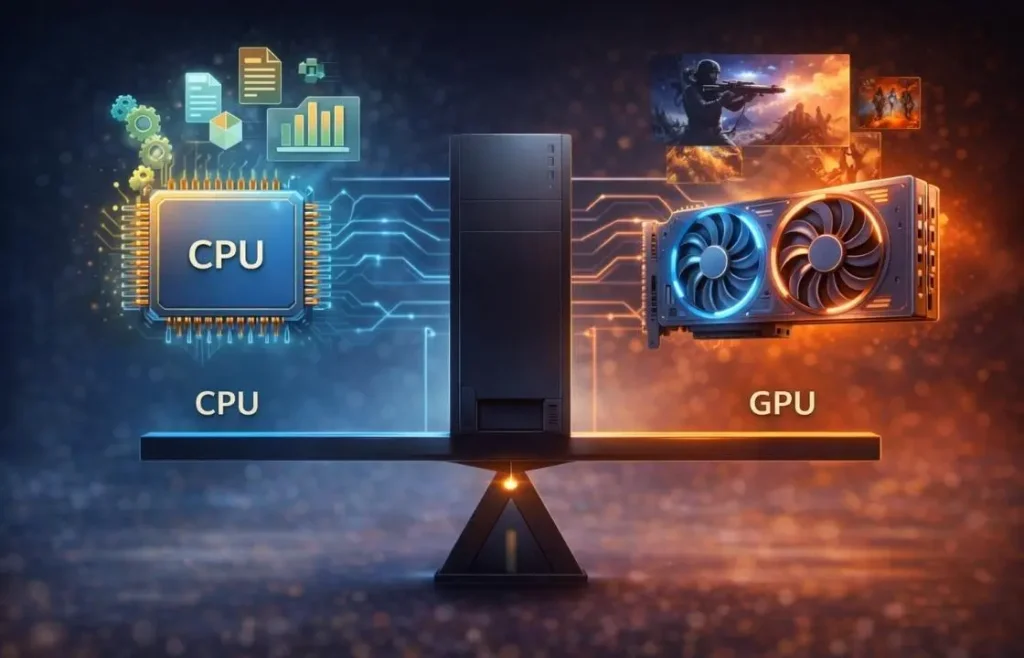
The CPU handles game logic, background tasks, and system processes, while the GPU focuses on rendering visuals and processing graphics data. When both work in sync, your PC runs fast, stable, and efficient. When one part lags behind, it creates bottlenecks that reduce frame rates and cause stutter. That is why balance matters more than raw power when choosing the right CPU and GPU combo.
How to Choose the Best CPU and GPU Combo
Choosing the best CPU and GPU combo requires more than picking the most powerful parts you can afford. The goal is to build a balanced system where both components support each other. A smart pairing improves performance, reduces lag, and helps your PC run smoothly across games and workloads. When you understand what to prioritize, you can avoid wasting money on parts that do not work well together.
Avoiding Bottlenecks
Bottlenecks happen when one part of your system limits the performance of the rest. A powerful GPU paired with a weak CPU can cause stutter and low frame rates, even in simple games. The opposite also applies when a strong CPU waits on a slow GPU. To avoid this, you should match mid range CPUs with mid range GPUs and high end CPUs with high end GPUs. Balanced systems always outperform mismatched ones.
Matching Combos to Your Use Case
Different tasks demand different CPU and GPU combo strengths. Gamers need strong GPU power for visuals and a capable CPU for smooth frame pacing. Streamers and creators need CPUs with more cores and threads to handle multitasking. AI and machine learning workloads require GPUs with strong compute power and enough memory. Choosing your combo based on how you use your PC ensures better performance and value.
Budget vs Performance Trade Offs
Your budget plays a major role in choosing the right combo. At lower budgets, you should prioritize a capable GPU while choosing a solid but affordable CPU. In mid-range builds, you can balance both for smoother gameplay and multitasking. At higher budgets, you can invest in premium CPUs and GPUs for top-tier performance. Spending wisely at each level helps you avoid paying extra for performance you do not need.
Best CPU and GPU Combos by Gaming Resolution
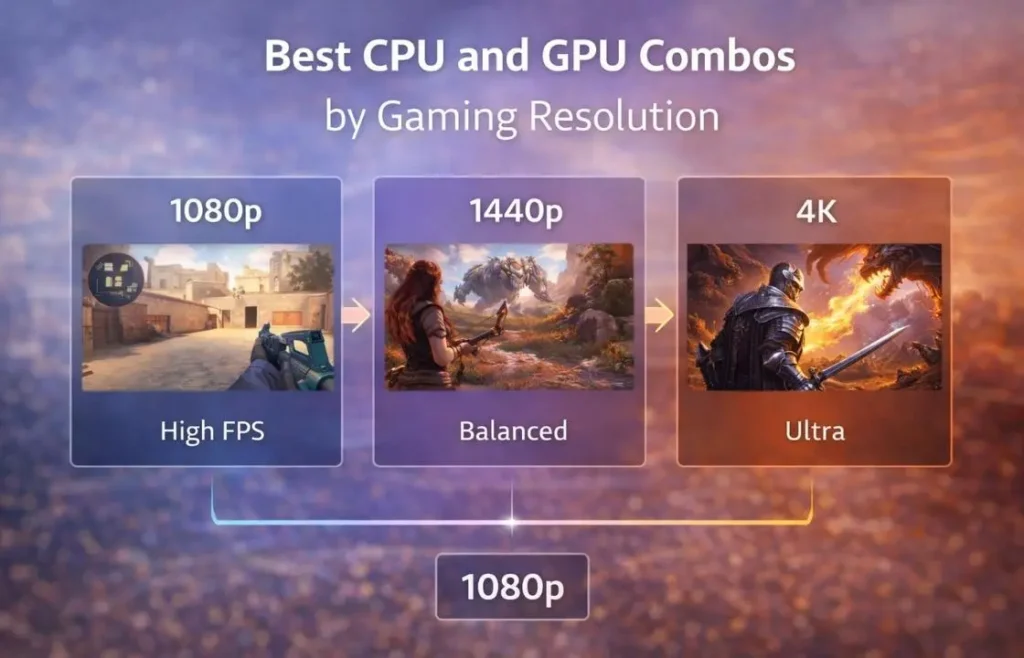
Choosing the right CPU and GPU combo depends heavily on the resolution you plan to game at. Each resolution places different demands on your system. At lower resolutions, the CPU plays a larger role in pushing high frame rates, while at higher resolutions, the GPU carries most of the workload. Matching your hardware to your target resolution ensures smoother gameplay and better value for money.
Best 1080p CPU and GPU Combos
1080p gaming remains the most popular choice for gamers who want smooth performance without extreme hardware costs. At this resolution, high frame rates matter more than ultra visuals, especially in competitive games. The following CPU and GPU combos deliver excellent Full HD performance with strong efficiency and long-term value.
Ryzen 5 7600 and RTX 5060
This pairing offers one of the best price-to-performance ratios for Full HD gaming. The Ryzen 5 7600 provides fast single-core speed, which is essential for achieving high frame rates in CPU-heavy games. Paired with the RTX 5060, this combo delivers smooth performance across modern titles without unnecessary power consumption.
The RTX 5060 shines at 1080p thanks to its fast GDDR7 memory and efficient architecture. While it can manage light 1440p gaming, it performs best in Full HD where its 8GB VRAM remains sufficient for modern games.
Component Specs
Component | Highlights |
|---|---|
CPU | Ryzen 5 7600, 6 cores / 12 threads, up to 5.1GHz |
GPU | RTX 5060, 8GB GDDR7, 128-bit |
Best For | High FPS 1080p gaming |
Power Draw | Low to moderate |
Upgrade Path | Strong AM5 platform support |
1080p Gaming Performance
Game | Average FPS (High Settings) |
|---|---|
Apex Legends | 230 FPS |
Cyberpunk 2077 | 120 FPS |
Marvel Rivals | 100 FPS |
This setup proves that budget friendly builds can still deliver premium gaming results.
Ryzen 5 7600 and Radeon RX 9060 XT 16GB
If you want extra longevity and smoother performance in upcoming titles, this pairing stands out. The Ryzen 5 7600 again serves as a strong foundation, while the RX 9060 XT 16GB brings a major advantage with double the VRAM.
This combo performs exceptionally well at 1080p and comfortably transitions into 1440p gaming. The extra memory helps prevent stutter in modern engines and improves stability in texture heavy games.
Component Specs
Component | Highlights |
|---|---|
CPU | Ryzen 5 7600, 6 cores / 12 threads, up to 5.1GHz |
GPU | RX 9060 XT, 16GB GDDR6, 128 bit |
Best For | 1080p and entry level 1440p |
Power Draw | Moderate |
Upgrade Path | Strong future proofing |
1080p Gaming Performance
Game | Average FPS |
|---|---|
Apex Legends | 252 FPS |
Cyberpunk 2077 | 130 FPS |
Marvel Rivals | 146 FPS |
This setup delivers smoother gameplay in demanding titles and remains relevant for longer thanks to higher VRAM capacity.
Quick Comparison of Best 1080p CPU and GPU Combos
Combo | Best For | VRAM | 1440p Ready | Value Rating |
|---|---|---|---|---|
Ryzen 5 7600 + RTX 5060 | Budget 1080p | 8GB | Limited | Excellent |
Ryzen 5 7600 + RX 9060 XT 16GB | Longevity | 16GB | Yes | Very High |
Best 1440p CPU and GPU Combos
1440p gaming hits the sweet spot between sharp visuals and strong performance. It demands more from both the CPU and GPU than 1080p, but does not require extreme hardware like 4K. At this resolution, you need a combo that balances processing power with graphics strength. The pairings below deliver smooth frame rates in modern titles while staying cost-effective and reliable.
Ryzen 5 9600 and Radeon RX 9070
This combo targets gamers who want great visuals without overpaying. The AMD Ryzen 5 9600 delivers solid single-core and multi-core performance. It keeps the frame pace stable in both competitive titles and heavier AAA games. The Radeon RX 9070 complements it well with strong 1440p graphics performance and plenty of memory for textures and future titles.
With a 256-bit memory bus and 16GB of GDDR6 VRAM, the RX 9070 handles large game assets easily. It delivers smooth gameplay at high settings in today’s demanding titles. This pairing also maintains good thermals under load, which helps overall system stability.
Quick Specs
Component | Key Features |
|---|---|
CPU | Ryzen 5 9600, 6 cores / 12 threads, up to 5.2GHz |
GPU | Radeon RX 9070, 16GB GDDR6, 256-bit bus |
Best For | 1440p high/ultra gaming |
Performance | Smooth 120+ FPS in AAA titles |
Real 1440p Benchmarks
Game | Average FPS (High Settings) |
|---|---|
Marvel Rivals | 120 FPS |
Hogwarts Legacy | 133 FPS |
Cyberpunk 2077 | 140 FPS |
These results show that this pairing delivers fluid gameplay in both competitive and visually rich titles.
Alternative 1440p Powered Combos
While the Ryzen 5 9600 and RX 9070 combo sits at the center of value and power, you can also pair other CPUs and GPUs to suit different gaming styles.
Option 1: Ryzen 7 9700X and NVIDIA RTX 4070 Super
This combo brings stronger multi-core performance for better multitasking in gaming and creative workloads. Paired with the RTX 4070 Super, it delivers high frame rates with extra graphics headroom and strong ray tracing support.
Pros
Cons
Option 2: Core i5-14600K and Radeon RX 7900 XT
Intel’s Core i5-14600K offers strong single and multi-core performance. When paired with the RX 7900 XT, this combo delivers ultra-smooth 1440p performance, even in demanding AAA games.
Pros
Cons
Quick Comparison of Best 1440p CPU and GPU Combos
Combo | Best For | VRAM | Frame Target | Price Tier |
|---|---|---|---|---|
Ryzen 5 9600 + RX 9070 | Balanced 1440p | 16GB | 120+ FPS | Mid-range |
Ryzen 7 9700X + RTX 4070 Super | High Performance | 12GB | 120+ FPS | Upper Mid-range |
Core i5-14600K + RX 7900 XT | CPU & GPU Balance | 20GB | 120+ FPS | Upper Tier |
Best 4K CPU and GPU Combos
4K gaming pushes hardware to the limit. At this resolution, your GPU must process large amounts of data for crisp visuals and high frame rates. The CPU also needs enough power to keep the GPU fed with data. The combos below deliver smooth 4K gameplay in modern titles while avoiding bottlenecks.
Ryzen 5 9600X With NVIDIA GeForce RTX 5070 Ti
This pairing hits a strong balance between high detail and frame delivery. The AMD Ryzen 5 9600X brings solid single core and multi core performance, which keeps frame rates steady even in demanding scenes. The NVIDIA GeForce RTX 5070 Ti shines at 4K with excellent raster performance and good power efficiency.
Players will enjoy high settings in both esports and AAA games. While not a top-tier enthusiast combo, it delivers strong results for most modern titles without breaking the bank.
Component Specs
Component | Highlights |
|---|---|
CPU | Ryzen 5 9600X, 6C / 12T, up to 5.4GHz |
GPU | RTX 5070 Ti, 16GB GDDR7, 256-bit |
Best For | Smooth 4K at high settings |
Power Draw | Moderate |
1440p / 4K Benchmarks
Game | Avg FPS (4K High) |
|---|---|
Marvel Rivals | 82 FPS |
Hogwarts Legacy | 89 FPS |
Ryzen 5 9600X With Radeon RX 9070 XT
The combination of Ryzen 5 9600X and Radeon RX 9070 XT brings stronger raw 4K throughput. The RX 9070 XT’s high boost clock and large VRAM capacity offer impressive results in big budget games. This makes it a solid choice for gamers who want strong visuals without jumping into flagship pricing.
This combo is especially good for games that favor raw raster performance over heavy ray tracing. It hits high frame rates in many 4K titles while keeping gameplay fluid.
Component Specs
Component | Highlights |
|---|---|
CPU | Ryzen 5 9600X, 6C / 12T, up to 5.4GHz |
GPU | RX 9070 XT, 16GB GDDR6, 256-bit |
Best For | 4K high graphics settings |
Power Draw | Moderate |
4K Performance Highlights
Game | Avg FPS (4K High) |
|---|---|
Cyberpunk 2077 | 147 FPS |
Marvel Rivals | 139 FPS |
Apex Legends | 80+ FPS |
Ryzen 7 9800X3D With NVIDIA GeForce RTX 5090
For enthusiasts who want top-tier performance, this combo delivers unmatched power. The Ryzen 7 9800X3D has an expanded cache that greatly boosts game performance and limits bottlenecks at high resolutions. Paired with the RTX 5090, this system tears through 4K gaming with stability and speed.
This pairing not only handles today’s AAA titles but also keeps up as game engines evolve. It also performs very well in creative workloads like video editing and 3D rendering, making it a true powerhouse.
Component Specs
Component | Highlights |
|---|---|
CPU | Ryzen 7 9800X3D, 8C / 16T, 96MB Cache |
GPU | RTX 5090, 32GB GDDR7, 512-bit |
Best For | 4K ultra gaming + intensive workloads |
Power Draw | High |
4K Gaming Benchmarks
Game | Avg FPS (4K Ultra) |
|---|---|
Cyberpunk 2077 | 149 FPS |
Hogwarts Legacy | 148 FPS |
Marvel Rivals | 145 FPS |
4K Combo Comparison Table
Combo | Best Use | VRAM | Performance Tier | Value Rating |
|---|---|---|---|---|
Ryzen 5 9600X + RTX 5070 Ti | Strong 4K Entry | 16GB | High | Great |
Ryzen 5 9600X + RX 9070 XT | High FPS Focus | 16GB | Very High | Excellent |
Ryzen 7 9800X3D + RTX 5090 | Top-Tier 4K | 32GB | Elite | Premium |
Choosing the Right 4K CPU and GPU Pair
If you want good 4K performance without paying flagship prices, the Ryzen 5 9600X with RTX 5070 Ti is a great choice. For higher frame rates and better raster results, the RX 9070 XT combo stands out. If you want maximum future proofing and performance, the Ryzen 7 9800X3D and RTX 5090 take the lead.
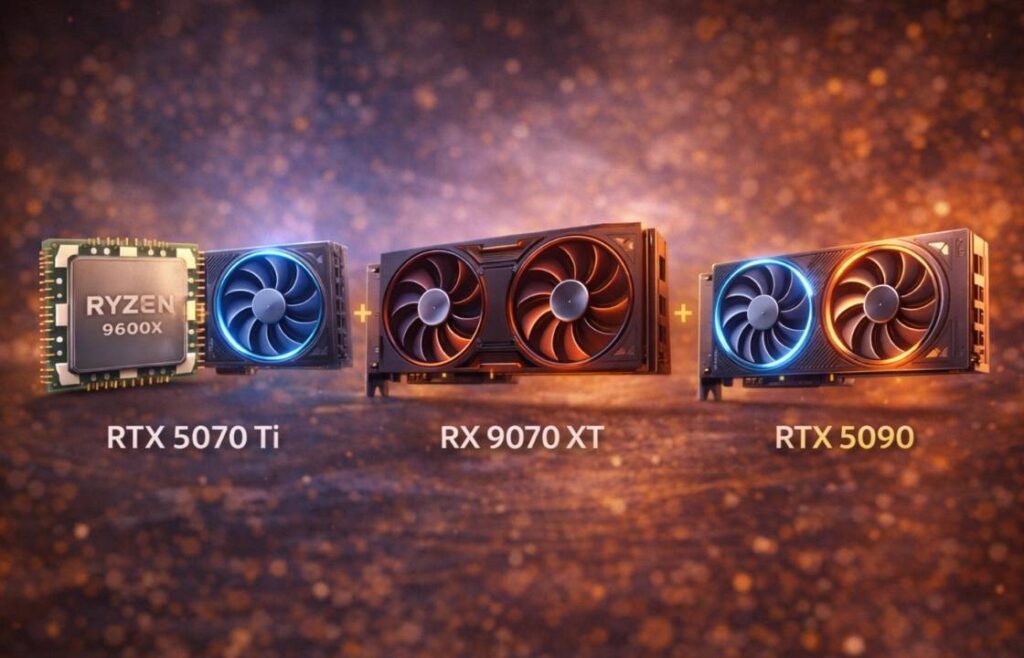
These CPUs and GPUs avoid bottlenecks while delivering smooth visuals and strong frame rates. Pairing the right components for 4K ensures you get consistent performance in the latest and upcoming games.
Best Budget CPU and GPU Combos Under $1000
If you want strong gaming performance without a premium price, these combos offer the best value under $1000. They focus on balanced CPUs and GPUs that avoid bottlenecks and deliver smooth gameplay at 1080p and even entry level 1440p.
Combo | CPU | GPU | Best For | Value |
|---|---|---|---|---|
Ryzen 5 7600 + RTX 4060 | 6C / 12T | 8GB | 1080p esports & AAA | Excellent |
Ryzen 5 7600 + RX 6600 XT | 6C / 12T | 8GB | 1080p gaming | Very Good |
These combos handle popular esports titles with ease and offer solid performance in modern AAA games at medium to high settings. By choosing balanced parts, you avoid wasted spending on unneeded power while still hitting good frame rates.
Best Mid Range CPU and GPU Combos
Mid range builds strike a strong balance between price and performance. They handle 1440p gaming, multitasking, and heavier workloads without bottlenecks. These combos keep up with modern titles and offer future headroom.
Combo | CPU | GPU | Best For | Value |
|---|---|---|---|---|
Core i5 14600K + RTX 4070 Super | 10C / 16T | 12GB | 1440p high/ultra | Excellent |
Ryzen 7 7700X + RX 7800 XT | 8C / 16T | 20GB | High settings gaming | Excellent |
These setups deliver strong performance for most games at 1440p and remain solid for creative tasks like video editing and streaming. They represent excellent mid tier choices when you want more power without the cost of high end gear.
Best High End CPU and GPU Combos
High end builds deliver premium performance at 4K resolution, creative workloads, and future game titles. These combos pair powerful CPUs with top-tier GPUs to sustain high frame rates, advanced visuals, and multitasking without compromise.
Combo | CPU | GPU | Best For | Value Tier |
|---|---|---|---|---|
Core i7 14700K + RTX 4080 Super | 16C / 24T | 16GB | 4K gaming + creation | High |
Ryzen 9 7900X3D + RX 7900 XT | 12C / 24T | 20GB | Ultra settings & creative workflows | High |
These builds are ideal for players who want max settings in the latest games and creators who work with heavy editing, rendering, and AI tasks. They offer stability, long term usability, and future readiness.
Future Proof CPU and GPU Combos
Future proofing means choosing parts that will remain fast and capable as games and apps evolve. It involves more than raw speed; it means choosing components with modern features, high VRAM, and robust platform support.
Combos That Will Age Well
Combo | Key Features | Future Readiness |
|---|---|---|
Ryzen 7 7800X3D + RTX 4080 | Large cache + 16GB VRAM | Strong |
Core i9 14900K + RTX 4090 | Top tier cores + high VRAM | Elite |
These pairings combine strong CPUs, high VRAM GPUs, and next gen platform support. They reduce the risk of bottlenecks in future games and workloads.
PCIe Support, VRAM, and Core Count Matter
Modern games and creative tools benefit from newer PCIe versions and larger VRAM. Higher core counts help in multitasking, streaming, and productivity software. When choosing future proof combos, aim for:
These features help your system stay relevant longer and deliver smoother performance across updates.
Ray Tracing and AI Ready Pairings
Next gen technologies like ray tracing and AI acceleration enhance visuals and performance in supported games. GPUs with stronger RT and tensor cores handle these features without large slowdowns.
Combo | Ray Tracing | AI Features |
|---|---|---|
RTX 4080 Super | Excellent | DLSS/AI upscaling |
RTX 4090 | Elite | Best RT + AI support |
Ray tracing adds realism to lighting and shadows, while AI tools improve frame rates and image quality. Choosing GPUs that handle these technologies well ensures your build stays capable as games adopt newer features.
CPU and GPU Combos for Different Use Cases
Different users need different types of CPU and GPU combos. A system built for pure gaming does not look the same as one built for content creation or AI work. Choosing the right pairing based on how you use your PC ensures better performance and avoids wasted spending.
Best Combo for Pure Gaming
For pure gaming, the main goal is to achieve high frame rates and low latency. Games rely heavily on fast single core CPU performance and a strong GPU that can render frames quickly. A combo like a Ryzen 7 7800X3D paired with an RTX 4070 Super or RX 7800 XT delivers excellent results. The CPU keeps frame pacing stable, while the GPU pushes high FPS even in demanding titles. This type of pairing is ideal for competitive and AAA gamers alike.
Best Combo for Gaming and Streaming
Streaming adds extra load on your system while you game. This requires a CPU with more cores and threads along with a capable GPU. A balanced pairing such as a Core i7 14700K with an RTX 4080 Super offers enough CPU power for encoding and multitasking while maintaining strong gaming performance. The GPU handles graphics smoothly while also supporting hardware encoding for streaming platforms. This setup avoids performance drops when switching between gaming and broadcasting.
Best Combo for Creators
Creators need CPU and GPU combos that perform well in rendering, editing, and multitasking. Video editing and 3D work demand both high core counts and strong GPU acceleration. A Ryzen 9 7900X paired with an RTX 4080 or RX 7900 XT provides fast render times and smooth timeline playback. This combo suits users who edit videos, design graphics, and work in creative software without slowdowns.
Best Combo for AI and Machine Learning
AI and machine learning workloads depend heavily on memory bandwidth and compute power. The GPU plays a much larger role here than in gaming. A pairing like a Core i9-14900K with an RTX 4090 delivers massive AI compute performance and enough VRAM for training models and running simulations. High memory bandwidth and strong tensor performance make this type of combo ideal for data science, AI research, and heavy compute tasks.
Common CPU and GPU Pairing Mistakes to Avoid
One of the most common mistakes is overspending on either the CPU and GPU combo or alone. A powerful GPU paired with a weak CPU leads to bottlenecks and wasted performance. The same happens when a high end CPU waits on a low end GPU. Another mistake is ignoring cooling and power supply limits. High performance parts generate more heat and require stable power. Poor cooling or a low quality PSU can cause throttling, crashes, and long term damage. Balanced spending across CPU, GPU, cooling, and PSU always delivers better results.
How to Check CPU GPU Bottlenecks
You can detect bottlenecks using monitoring tools and real world testing. Software like MSI Afterburner and HWInfo helps track CPU and GPU combo usage during gaming. If your GPU stays underused while the CPU runs near full load, your CPU limits performance. Benchmarks also reveal imbalance when frame rates fail to scale with resolution or settings. In real world use, signs like stuttering, uneven frame times, and sudden FPS drops often indicate poor component pairing.
Comparison of Best CPU and GPU Combos
Here is a quick view of recommended CPU and GPU combos based on different use cases.
Use Case | CPU | GPU | Best For |
|---|---|---|---|
Pure Gaming | Ryzen 7 7800X3D | RTX 4070 Super | High FPS gaming |
Gaming and Streaming | Core i7-14700K | RTX 4080 Super | Gaming with live streaming |
Creators | Ryzen 9 7900X | RX 7900 XT | Editing and rendering |
AI and Machine Learning | Core i9-14900K | RTX 4090 | AI workloads and training |
Frequently Asked Questions – FAQs
FAQs
Conclusion
Choosing the right CPU and GPU combo is not about buying the most expensive parts. It is about pairing components that work well together for your budget, resolution, and use case. Balanced systems always deliver smoother performance, better stability, and longer lifespan than mismatched builds.
If you aim for competitive gaming, high resolution visuals, or creative workloads, a smart CPU and GPU pairing ensures you get the most value from your investment. Focus on balance, cooling, and future support, and your PC will serve you well for years to come.